Overview
Quick POS is a lightweight POS application I built with Ionic React and Capacitor to be exactly what I needed: a fast, offline-first point-of-sale app with no cloud dependency.
It supports creating multiple live carts, adding and removing products quickly, processing cash payments with automatic change calculation, and persisting everything locally with SQLite so sales data survives app restarts.
The app runs as both a web app (for development) and a native Android app (for production), all from the same codebase. I included NZD currency formatting and NZ daylight-saving aware timestamp display since that is what I use it for.
Motivation
I wanted a fast, flexible point-of-sale app that could run offline on mobile without relying on cloud services or third-party dependencies. Existing apps were either too heavy, too restrictive, or did not handle the workflows I needed. So I built Quick POS from scratch to have exactly the features and behavior I wanted.
Approach
I built Quick POS by combining React with a local SQLite data layer through Capacitor. This approach keeps the cart and inventory logic in a single database service while pages handle user workflows like cart management, checkout, and inventory administration.
The entire app works offline and can run as both a web app (for development) and a native Android app (for real use).
 |
|---|
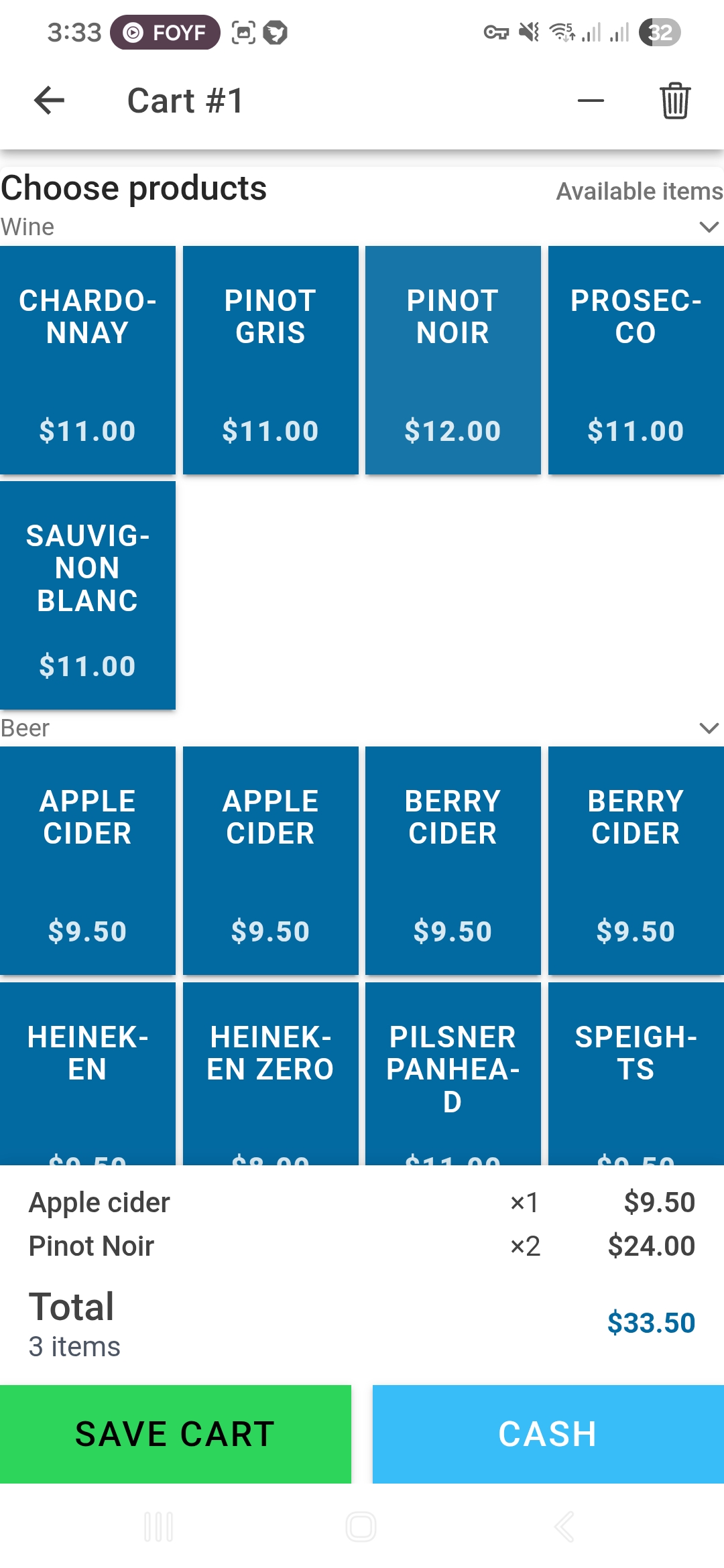
| Active cart page with the users custom products sorted by categories. |
What I Built
-
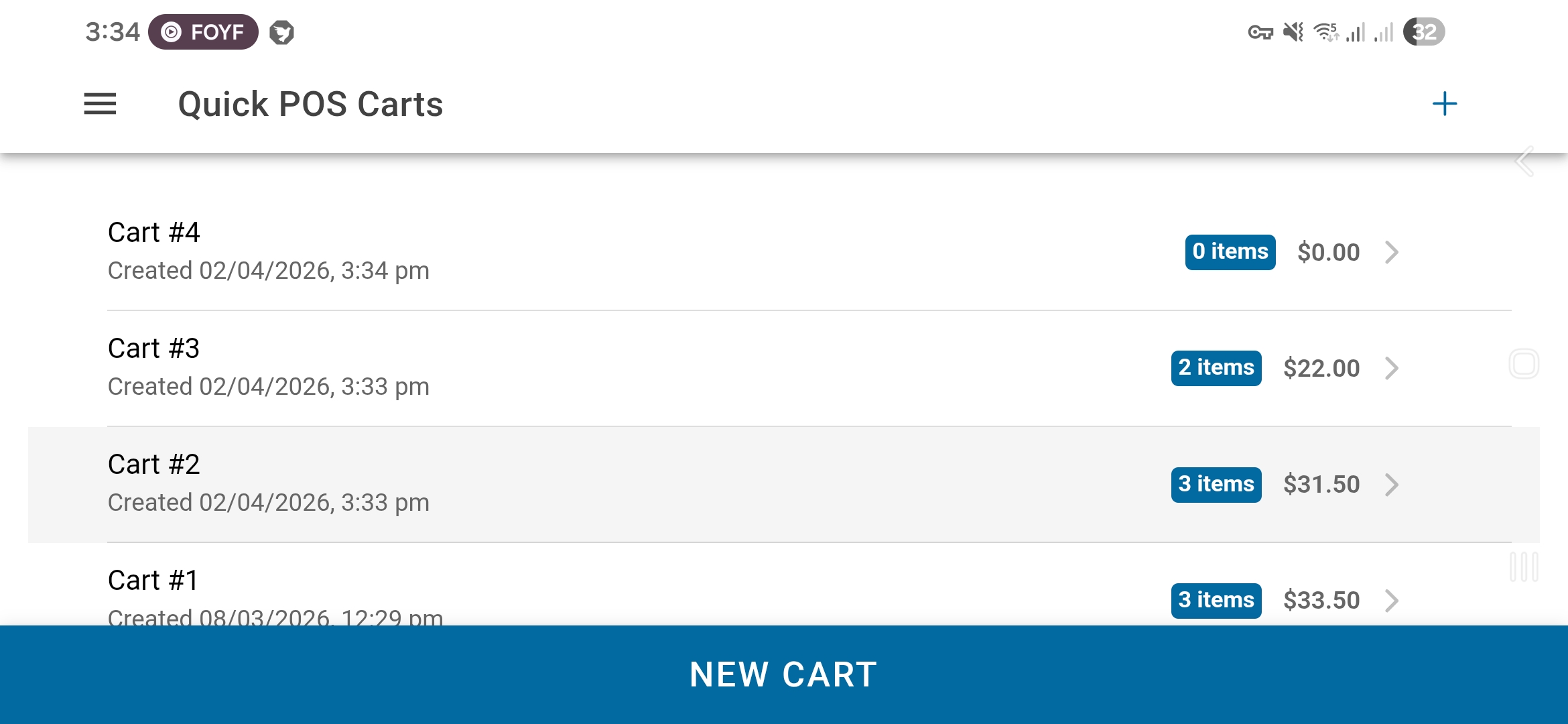
Multi-cart workflow: Users can create and manage unlimited carts simultaneously, instantly navigate between them, and the home screen displays item counts, totals, payment status, and timestamps.
-
Fast item operations: Users can tap to add items, use a quantity picker for bulk operations, increment/decrement quantities on the fly, or clear a cart instantly. The interface is optimised for touch and rapid checkout workflows.
-
Cash checkout: When it is time to pay, users enter the cash tendered, the app validates coverage against the total, and automatically calculates change. The transaction is recorded with payment method, amount, and timestamp.
-
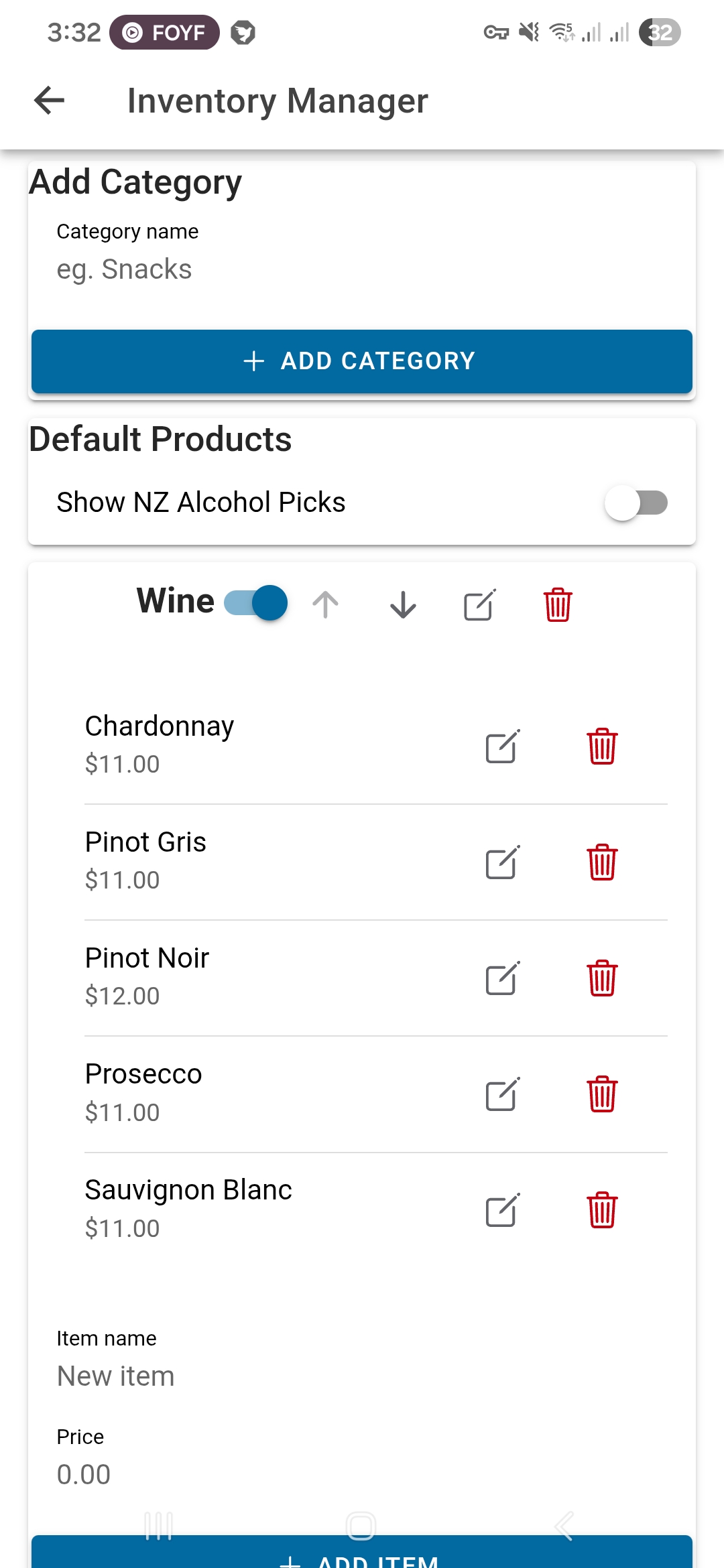
Flexible inventory: Users can create custom categories and products with name, price, and category fields, edit or reorder them, and toggle which categories appear in the product grid. All preferences persist across sessions.
-
Pure offline data: All data ‘carts, items, inventory and settings’ lives locally in SQLite. Users work completely offline with no cloud dependency. Works on web (with jeep-sqlite fallback) and as a native Android app.
-
Touch-first UX: Users get dark mode (remembered across sessions), adjustable product grid columns, native status bar theming, and proper safe-area handling so the app feels native on Android.
 |
|---|
| Home screen showing multiple carts with item counts, totals, and timestamps. |
Technical Stack
- Frontend: React 19 + TypeScript
- UI Framework: Ionic React
- Native Runtime: Capacitor 7
- Local Database:
@capacitor-community/sqlite(+ jeep-sqlite web component) - Build Tooling: Vite
- Reactive utility: RxJS (toast event stream)
- Routing: React Router (Ionic router integration)
How I Structured It
-
App shell and routing: The app initialises the database on startup, then routes between the cart list, individual cart detail page, and the inventory manager. Nothing renders until the DB is ready.
-
Centralised data layer: I built a single database service that handles all the heavy lifting: schema creation, version migrations, all CRUD operations, settings storage, and payment state. This keeps my React components clean and focused on UI.
-
Event-driven UI sync: When I update inventory or complete a payment, I dispatch custom window events. Other pages listen and refresh instantly. Feedback goes through a toast service powered by RxJS.
-
Platform-aware persistence: The code checks whether it is running on web or native, and handles initialisation accordingly. On web, jeep-sqlite provides a WASM fallback. On Android, Capacitor manages the native SQLite connection.
Key Decisions I Made
-
Safe schema evolution: I use
CREATE TABLE IF NOT EXISTSand guardedALTER TABLEcalls so the app can update gracefully without breaking old data. This was important to me because I wanted it to work across iterations. -
Resilient initialissation: I added timeout wrappers and a best-effort reset/retry strategy if the database fails to initialise. On web, the app does not crash if jeep-sqlite takes a moment to load.
-
Correct timezone handling: I explicitly parse SQLite UTC timestamps and apply NZ DST rules to display the right local time. This matters for my actual use case since I am in New Zealand and timestamps need to be accurate.
-
Touch-optimised UX: The quantity picker lets me tap quickly to add and remove multiple items without tedious one-at-a-time clicks. The whole interface is designed for speed and single-handed operation.
 |
|---|
| Inventory Manager with the users added products within their own categories |
What I Got Out of It
-
A tool that actually works: I built something I use regularly. It is fast, reliable, and does exactly what I need without bloat.
-
Cross-platform fluency: I learned how to ship the same React codebase to both browser and native Android, handling platform-specific APIs gracefully.
-
Solid data architecture insights: Designing resilient offline persistence, migrations, and event-driven UI sync taught me a lot about building robust local-first apps.
-
Portfolio piece: Quick POS showcases my ability to architect and ship a complete, usable app end-to-end, not just a code sample, but something real.
Future Improvements
I am planning to:
- Implement a import and export of user added products to easily share it to other users.
- Implement history of closed carts to be able to review closed carts.
- Build a simple analytics dashboard showing daily totals and bestselling items.